Bo0mB0om
Senior

Joined: 05 Mar 2016
Posts: 15046
|
 Posted: 15/07/2021 08:03 Post subject: EduIQ Classroom Spy Professional 4.7.12 Posted: 15/07/2021 08:03 Post subject: EduIQ Classroom Spy Professional 4.7.12 |
 |
|
EduIQ Classroom Spy Professional 4.7.12 | Languages: English | File size: 46.7 MB
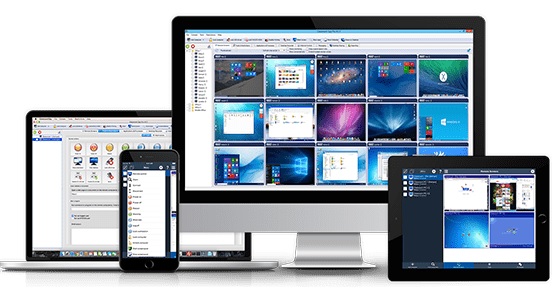
Simple and effective classroom management software. Put classroom management to a higher level. This software lets you see what everyones doing without leaving your desk. You can monitor the activity of all student computers in your classroom remotely. Plus, you can share your screen with your students' record activity, control computers, make demos, limit the internet usage, block applications and much more.
Take Control Now
It is hard to teach a group of people how to use a computer. Discipline in classroom can be an issue. We can truly help you with this. Yes, such training is not easy. For someone whos doing something right, there are probably two others doing it wrong, playing games, checking email, shopping.
Main Features:
Displaying a live picture of a remote computer.
You can take control of a remote computer by controlling its mouse and keyboard.
More remote screens can be displayed in a table.
Computers can be organized in computer groups (e.g. classrooms)
A remote screen can be zoomed to an actual size.
The name of the connected user is displayed.
Record remote computers screens to MPG4 files.
Show your desktop to students or show student desktop to students
Power on/off, restart, hibernate, suspend remote computers
Log off desktop users
Lock workstation
Clear desktop
Control screen-saver
Block Internet
Block applications
Mute remote computers
Limit remote computers audio volume level
Disable printing
Disable Ctr+Alt+Del
Blank screen
Start program on remote computers and see the output
Open web page on remote computers
Multi-monitor support
Control over running processes and applications
You can lock selected remote computers
You can display a message on selected remote computers.
When lower bandwidth is required, the refresh interval can be enlarged.
Automatic connection to a remote computer is optional.
Settings for the agent are encrypted and password protected.
Connection to a remote computer is password protected.
Access to monitoring the console is password protected. If more users use the same computer, different profiles and access passwords can be set.
More monitoring consoles can be connected to the same remote computer you can monitor your students from different locations.
Agent can be remotely installed.
Fast users switching is supported.
Multi-session support for Remote Desktop, Terminal Services, Citrix,
Console can be used on smart phone or tablet
What are the major benefits of using Classroom Spy Pro?
Installation and use of the application is very easy since all of the functions can be accessed with a few mouse clicks.
You have complete control over what remote users are doing.
This application provides you with a live picture of the remote computer screens.
You can make the presentation by showing your live screen to students or presenting student screen to others.
Application allows you to take over the remote computer by controlling its mouse and keyboard.
The remote computers screens are represented in the table with a customizable number of rows as thumbnails.
Schedule remote computers desktop recording to MPEG4 files
Execute several actions on all remote computers with on click
Block applications and Internet access
Log visited web pages
Log used applications
Log keystrokes keylogger
and much more see feature list and screen-shots
What are the major benefits of using Classroom Spy Pro?
Installation and use of the application is very easy since all of the functions can be accessed with a few mouse clicks.
You have complete control over what remote users are doing.
This application provides you with a live picture of the remote computer screens.
You can make the presentation by showing your live screen to students or presenting student screen to others.
Application allows you to take over the remote computer by controlling its mouse and keyboard.
The remote computers screens are represented in the table with a customizable number of rows as thumbnails.
Schedule remote computers desktop recording to MPEG4 files
Execute several actions on all remote computers with on click
Block applications and Internet access
Log visited web pages
Log used applications
Log keystrokes - keylogger
...and much more - see feature list and screen-shots
What's new
| Code: | | https://classroomspy.com/classroom-management-software.htm |
Supported Desktop Platforms:
Windows XP, Windows 2003 Windows Vista (32/64) bit
Windows 7 (32/64) bit
Windows 8 / 8.1 (32/64) bit
Windows 10 (32/64) bit
Homepage
| Code: | | http://classroomspy.com |
DOWNLOAD
(Buy premium account for maximum speed and resuming ability)
| Code: |
https://nitroflare.com/view/7760D84BD3E92D4/cgzm4.EduIQ.Classroom.Spy.Professional.4.7.12.rar
|
| Code: |
https://rapidgator.net/file/3af6ec0cff4f1c35622c4aa5a98011d7/cgzm4.EduIQ.Classroom.Spy.Professional.4.7.12.rar
|
|
|






