Bo0mB0om
Senior

Joined: 05 Mar 2016
Posts: 15046
|
 Posted: 05/08/2021 06:23 Post subject: Zaxwerks 3D ProAnimator 8.6.0 Posted: 05/08/2021 06:23 Post subject: Zaxwerks 3D ProAnimator 8.6.0 |
 |
|
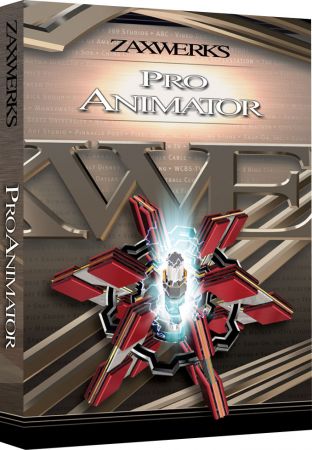
Zaxwerks 3D ProAnimator 8.6.0
Windows x64 | Languages: English | Standalone and Plug-in for After Effects | File Size: 328.39 MB
3D ProAnimator Standalone is specialized for Motion Graphics, so titles, logos and other types of animation are faster to create than other 3D programs. Since it's not as complicated, the software is also easier to learn and faster to use. This is not the program to get if you want to do character animations or projects where you will be working on single shots for days or weeks. But if you want to add high quality 3D title and logo animations to your video projects, and you have a limited amount of time to do it, then ProAnimator is the best choice on the market. It's powerful, it's flexible and it's really really fast.
REAL-TIME 3D RENDERING
Boy isn't that an over-used buzzword these days! So let's put some quotes around "real-time" and tell you what this really means. Zaxwerks has developed a new rendering engine called the Reactor Rendering System. It is a hybrid GPU/CPU system that will do GL rendering and Ray Tracing. It uses the latest advances in rendering technology to give you high quality final rendering pretty darned fast. Actually, "pretty fast" doesn't do it justice. Our users say "incredi-freakin-ly fast" is closer to the truth.
REAL-TIME CAMERA FOCUS WITH DEPTH OF FIELD
If the beauty of an image is your thing then being able to control the focus of the camera is huge. 3D ProAnimator 8 lets you set what's in focus and then move the focus distance as an animated value. This gives you the ability to highlight a subject, focusing attention on the part that matters, then change the focus to highlight another subject. It's a truly cinematic look reserved for distinct occasions. The best part is that it takes little additional rendering time. So when we say real-time we really mean it.
INSTANCING (AUTOMATIC OBJECT DUPLICATION)
The third big new feature in 3D ProAnimator 8 is called "instancing". Instancing, in simplest terms, is object duplication. However it duplicates objects in a way that's incredibly fast, and makes it easy to populate a scene with hundreds or even thousands of objects and still keep the rendering speed nice and fast. You can instance objects made of one piece, like hearts or stars. You can instance objects made of multiple pieces, like houses or cars. You can instance words or logos and you can even mix all of these kinds of objects together! There are lots of creative uses, so watch the video and see the power of instancing in action.
OBJECT DISTRIBUTION
The fourth big new feature in 3D ProAnimator 8 creates big things out of small ones. Object distribution has always been a part of 3D ProAnimator but in version 8 we've made it much more flexible and powerful. We've added many new distribution styles which make it easy to realizate environments, backgrounds and objects made up of other objects.
IMAGE-BASED LIGHTING
Image-Based Lighting, or IBL for short, is a way of lighting your entire scene by using nothing but a picture! You read that right. All you need to do to get completely realistic lighting is to choose a picture of the environment and 3D ProAnimator 8 takes care of the rest for you! There's no need to be a lighting expert.
REAL-TIME AMBIENT OCCLUSION
The sixth big new feature in 3D ProAnimator 8 could be called the reality feature. The formal name is Ambient Occlusion but you can think of it as corner darkening. This feature darkens the corners and crevices of 3D objects in a way that gives the effect of bounce lighting but without the enormous rendering hit. It makes your objects look much more realistic, and thankfully we figured out how to add Ambient Occlusion in production at real-time speeds. There is no more excuse for your work to not look realistic.
PROCEDURAL RANDOMIZATION
Nothing in the real world is totally perfect. Unfortunately most things in the computer world are perfect. So you have to take extra time to make things un-perfect. That's where our new randomization features come in. Randomization works hand in hand with the instancing and distribution features. Instancing creates hundreds of objects and distribution arranges them into shapes and patterns but what happens when the patterns are a little too regular? You randomize them!
NORMAL MAPPING
3D ProAnimator has always supported bump maps to give your textures realistic bumps and dents. However, it's now time to take Bump maps to the next level. Say hello to Natural Maps. Have you seen those blue and pink pictures that look kind of funny? Well those are Normal Maps and they will make your textures look ultra realistic!
RELEASE NOTES
Version 8.6.0 - Major Release:
Real-Time Rendering
- Optimized OpenGL and Ray-Traced Renderer- Our Open GL and Ray Trace Renderer is now faster than ever! Create hundreds of thousands of polygons without having to worry about slowdown. Everything updates in real-time with texturing, lighting and shadows.
- Auto-Rendering- With Auto-Rendering, whenber you make any changes the scene automatically renders. No need to keep having to click the Render Test button to see what your objects look like.
- Depth of Field - Use Depth of Field to lucrate highly realistic images where some objects are in focus while other objects are out of focus.
Instancing
- Instanced Objects - With instanced objects, the program automatically duplicates as many objects as you want without slowing down the program. These objects can than be distributed using the distribution tools.
- New Distribution Types - Use new distribution tools such as assigning your objects to take on the shape of a different object, or other simple shapes such as cubes, spheres and more.
- Materials - Apply the same material or different materials to the instanced objects.
- Randomization - Use our randomize controls to place objects in random positions instead of scattering objects one by one.
- Instanced Text- With instanced text, you can set the text to be instanced by character, word, or paragraphs. This lets you distribute walls of text to fabricate amazing text backgrounds quickly and easily.
Normal Maps
- Applying Normal Maps - Our Material Editor gives you the ability to load either a noraml map or bump map to făurite realistic effects.
- Realistic Material Presets - Our material presets have been re-edited with normal maps for ever more realistic effects for your objects.
New Lighting Controls
- Image Based Lighting - Apply Image Based Lighting for highly realistic lighting effects for your scene.
- Shadow lights - Create a light that doesn't affect your scene, but has the ability to cast shadows.
- Note: Wireframe and hidden line rendering styles are no longer supported. If you have any old projects that are using wireframe or hidden line rendering, the material will render as a solid color instead. You may use the Grid Shader as an alternative for Hidden Line rendering.
System Requirements:
- Windows 7, Windows 8, or Windows 10 (64-bit)
- Host: Adobe After Effects CC 2017 and higher
ProAnimator Plug-in for After Effects:
- This plug-in only works in Adobe After Effects.
- It is not compatible with any other host.
DOWNLOAD
(Buy premium account for maximum speed and resuming ability)
| Code: |
https://nitroflare.com/view/F9C9192506A5D92/39rrw.Zaxwerks.3D.ProAnimator.8.6.0.rar
|
| Code: |
https://rapidgator.net/file/9223acbb707a4c2de5379e0c62fad02d/39rrw.Zaxwerks.3D.ProAnimator.8.6.0.rar
|
|
|






